Session Stash
Add to Chrome
v0.2.1·shipped April 22, 2026·MIT · MV3 · Plasmo

A Chrome extension for people whose tools refuse to log in twice

Keep your keys.

Session Stash keeps encrypted snapshots of cookies and localStorage for every account you use, synced through a Cloudflare KV namespace you own.

No extra browser profiles, no third-party session server. Between work, life, and the client accounts you keep mixing up, one keystroke is enough.

any websiteactive on this tab
  • Ppersonalian@personal.me
  • Wworkian@acme.co
switch on any site personal
01 · The four shapes

Four ways to run two identities, and why none of them were mine.

Most of the web assumes you are one person. ChatGPT, Claude, GitHub, Figma, Linear, Stripe: not one of them will hold a second account in the same tab. Every workaround is a trade against something I wasn't willing to give up.

 
ALog out, log in again
BA browser profile per account
CSessionBox / SaaS services
Session Stash
Where your sessions live
nowhere; you retype them every time
split across isolated Chrome profiles
their servers
your Cloudflare KV namespace
Who can technically read them
only you, one at a time
every tab in the active profile
their staff, in theory
only you
Cost of switching
email, password, 2FA, again
alt-tab between OS windows, hope you're in the right one
re-login per service
⌥⇧S
Cost of trusting it
your password manager
it's Google
a third company in the loop
open source + your KV + your keys

If you've tried all four and still end up pasting 2FA codes into an incognito window, this one is for you.

02 · The architecture

You own the vault. We cannot reach inside.

Session Stash has no backend of its own. Your cookies are encrypted by a key derived from your passphrase (600k PBKDF2 rounds, AES-GCM). The resulting ciphertext is written to a Cloudflare KV namespace that belongs to your Cloudflare account. The extension author operates no server, stores no data, and holds no keys.

01 / clientYour browserWhere keys are derived. Whereplaintext lives. Nowhere else.passphrasenever leavesderived AES-GCM keyin-memory onlyplaintext cookieshere, nowhere elseAES-GCM-256Only ciphertext crosses this line.02 / remoteYour Cloudflare KVYour account. Your namespace. Yourscoped API token.metasalt + verifier (public)indexciphertextacc:<uuid>ciphertextno server of ours sits here(there is literally nothing to compromise)
aPassphrase → PBKDF2-SHA256 (600,000 rounds) → never leaves this box
bEvery blob encrypted before it leaves the browser
cScoped API token, one KV namespace, revocable at any time

No server of ours sits between these two boxes.

Rotate your Cloudflare token and the extension stops syncing. You hold the only credential.

The verifier on unlock gates every decrypt; a wrong passphrase never silently proceeds.

Read the full crypto module on GitHub →
03 · Three surfaces

Three surfaces, one brain.

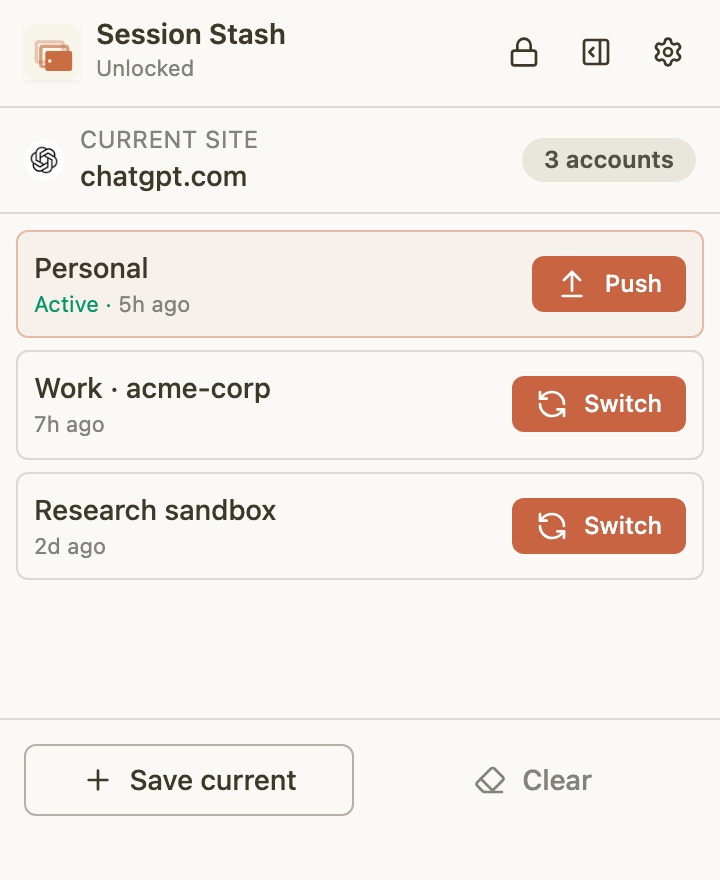
01Popup

What you reach for.

The quick-switcher. Open with ⌥⇧S, pick an account, hit enter. Closes itself. Meant to feel like a keyboard shortcut, not an app.
Session Stash popup
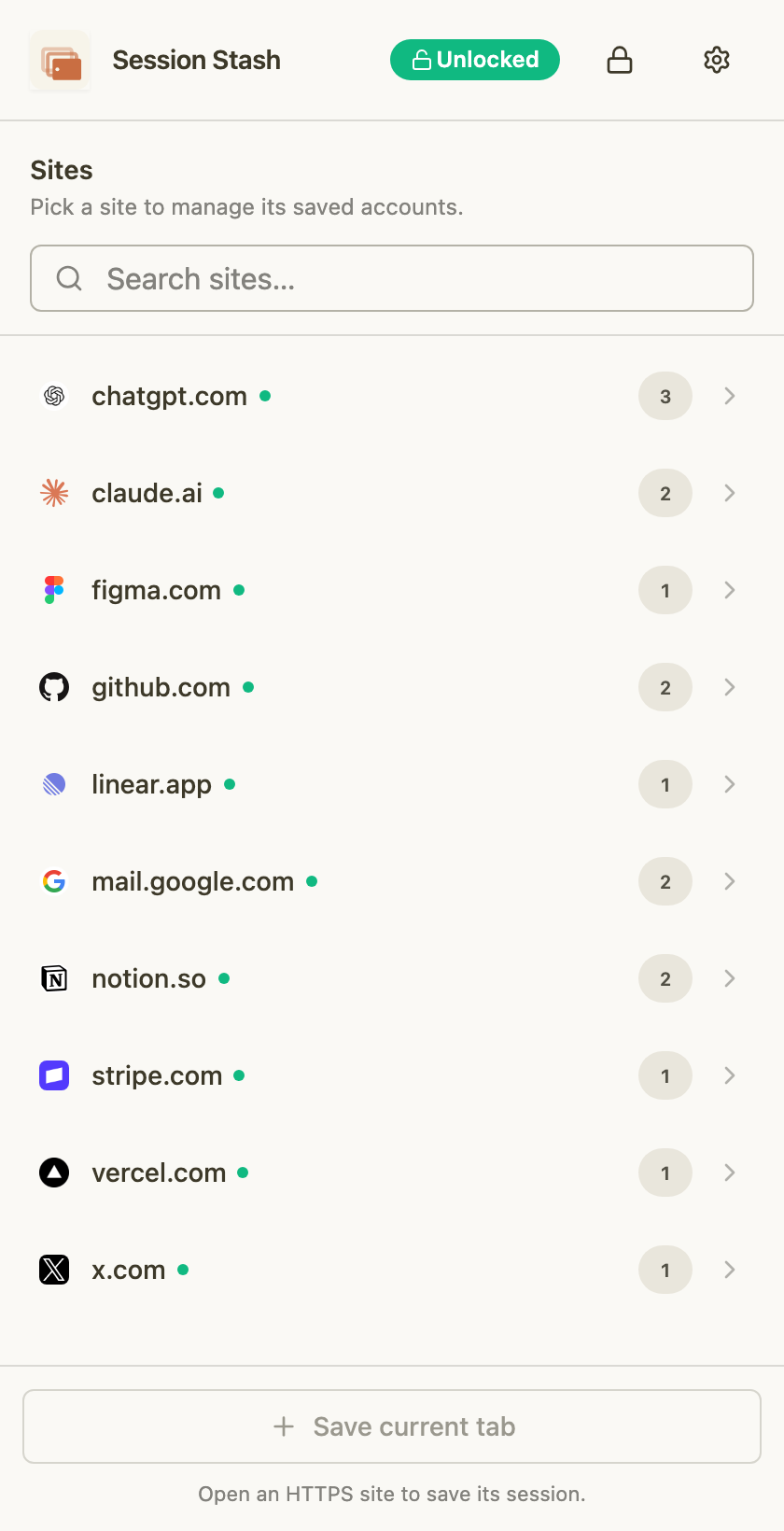
02Side Panel

What you browse with.

A column anchored to your window, drill-in from site to account. Rename, delete, mark the active one with a green dot. One drawer per origin; github.com and chatgpt.com never mix.
Session Stash side panel
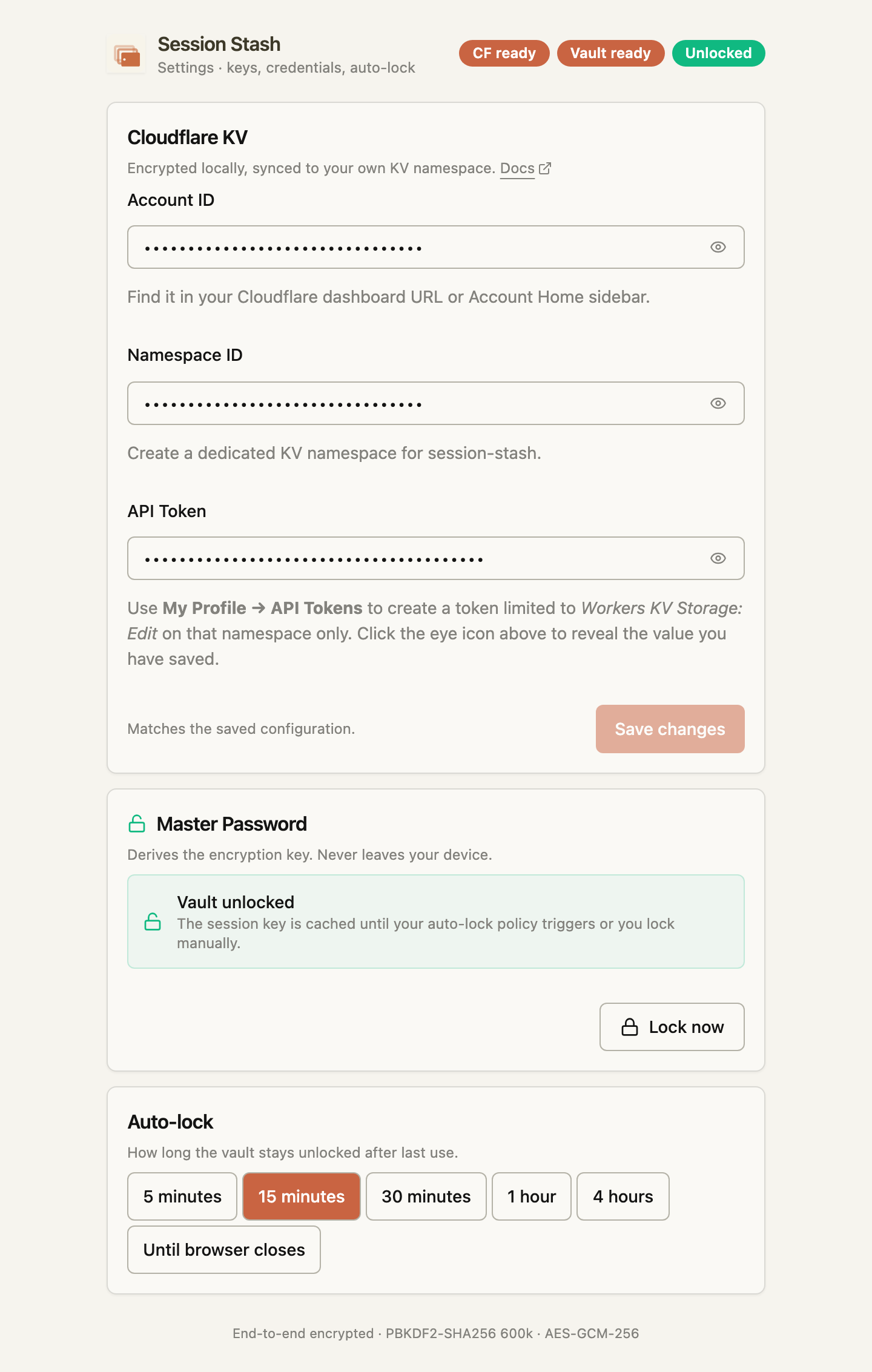
03Options

What you set once.

Your Cloudflare account ID, KV namespace, scoped API token, auto-lock interval, theme. The only surface that touches network configuration.
Session Stash options page
04 · Install

Three clicks and you're done.

Install from the Chrome Web Store, point the options page at a Cloudflare KV namespace you control, pick a passphrase. The extension does the rest.

Prefer to self-host? Clone ianchenx/session-stash, then run bun run build. The MV3 zip drops in build/chrome-mv3-prod/, ready for Load unpacked.